


A community hall might host a sports screening on Friday, a training session on Saturday and a residents’ meeting on Monday. The same television equipment must work for people with different levels of technical confidence, often with little time to troubleshoot before an event begins. Unlike a family living room, a shared venue also has volunteers, changing room layouts and equipment that may sit unused for weeks. Planning reception, connections and basic operating instructions together can prevent interruptions when an audience is already waiting.
Define What the Screen Must Actually Show
Start with the activities taking place in the venue. A hall used for presentations may mainly need a laptop connection, whereas a club that shows live broadcasts needs dependable television reception. Some events require sound through separate speakers; others rely on the television’s built-in audio. These details influence equipment choices more than screen size alone.
Write down the usual sources: terrestrial channels, satellite television, a streaming device or a visiting presenter’s computer. Check that each source can be selected without changing unfamiliar settings. If particular sporting events matter, confirm their current broadcasting arrangements rather than assuming every channel is available through the same platform.
Check the Signal Before the Event Calendar Fills
A television showing a channel successfully once does not prove reception will remain consistent. Loose connectors, ageing cables and poorly positioned exterior equipment may cause intermittent failures that become obvious only during a crowded event. Test several channels, check sound and leave the equipment running long enough to notice disruption.
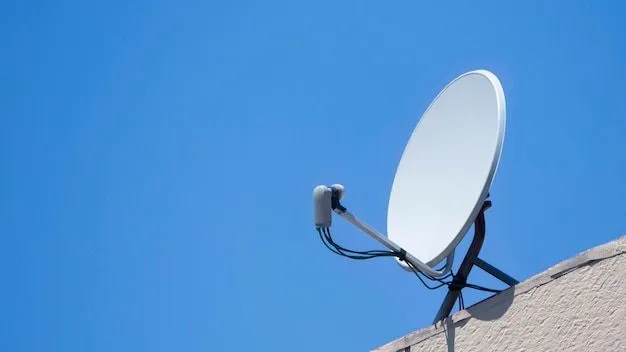
Where terrestrial reception is limited or the venue requires satellite channels, professional Satellite TV installation may be worth assessing. The right arrangement depends on the incoming signal, receiver requirements and whether more than one room needs access. Adding distribution equipment without checking the original signal can simply spread an existing problem.
Understand Existing Dishes Before Reusing Them
Community buildings sometimes inherit dishes and cables from previous occupants. An installed dish may be perfectly serviceable, but its condition and associated components must be examined before anyone relies on it. Receiver compatibility matters because equipment associated with one service does not automatically support every other satellite setup.
For example, a Sky satellite dish for Freesat may be reusable in some circumstances, but the dish’s alignment, LNB type, cabling and intended Freesat receiver need checking. A technician can establish whether changes are required. This is more useful than assuming an old socket guarantees access to the desired channels.
Create an Event-Day Test Routine
Shared venues benefit from a simple procedure that any authorised volunteer can follow. Keep the steps close to the equipment, preferably in a short printed guide.
-
Switch on the television and select the correct input.
-
Confirm that the expected channel or programme is available.
-
Check the volume at the seating area, not just beside the screen.
-
Test any external speakers or presentation connections.
-
Make sure remote controls have working batteries.
-
Record error messages rather than repeatedly changing settings.
-
Keep spare approved cables in a labelled storage box.
Test well before visitors arrive, leaving time to seek help if something is wrong. Volunteers should not adjust roof equipment or open electrical housings.
Make the Setup Resilient to Different Users
A system can be technically sound yet difficult to operate. Multiple remotes, unlabelled sockets and hidden power switches make a shared venue vulnerable to accidental changes. Clear labels and a straightforward input guide reduce reliance on the one volunteer who remembers how everything works.
A named equipment coordinator can keep a brief record of faults, repairs and any changes to connections. That record is especially helpful when volunteers rotate or outside groups hire the venue. It also makes it easier to tell whether an interruption is new or part of a recurring reception issue.
Keep administrator settings restricted, particularly on connected devices. If the hall offers streaming, confirm that accounts and permissions are appropriate for communal use. Public screenings may involve separate licensing considerations, even when a household subscription or free-to-air channel is available. Venue managers should check the rules for their intended events.
Conclusion
The success of a community screening should depend on the event itself, not whether a volunteer can locate the correct remote control. Clear equipment labels, tested connections and straightforward operating instructions make shared television systems easier for different groups to use. Organisers should also confirm reception and broadcasting requirements before important gatherings. For venues exploring television and satellite installations, techtwins.co.uk provides information about relevant technical services. Reliable equipment helps community spaces remain welcoming and practical for the people who depend on them.